Your Dollar General pay stub lives on a separate system from the main DGME portal — which is why so many employees log in to DGME and can’t find their pay. This guide shows you exactly where your pay stub is, how to open and download it, what every line on it means, and what to do when it doesn’t show up on payday.
Quick answer
Pay stubs are on paystubportal.com/dollargeneral — not the main DGME portal. Sign in with your Employee ID (EID) and password or PIN. Stubs usually appear 2–3 days before payday, and Dollar General pays biweekly (every two weeks).
The two systems — and which one you need
Dollar General uses two separate platforms, and mixing them up is the number one reason employees can’t find their pay stub:
- DGME portal (webapps.dolgen.net/dgme2) — schedules, benefits, personal details, HR resources
- Pay Stub Portal (paystubportal.com/dollargeneral) — pay stubs, pay history, W-2 forms, direct deposit settings
If you’re looking for your pay, go straight to the Pay Stub Portal. Your DGME password may not work there — it’s a separate login on a separate system.
When are Dollar General pay stubs available?
- Dollar General pays biweekly, so you receive a paycheck every two weeks.
- Your stub usually appears 2–3 days before payday, so you can preview your earnings early.
- If it’s missing on payday morning, check again after 10 AM — the system often updates late morning.
- Past stubs stay available, typically covering around the last two years, so you can pull old records anytime.
How to view your Dollar General pay stub
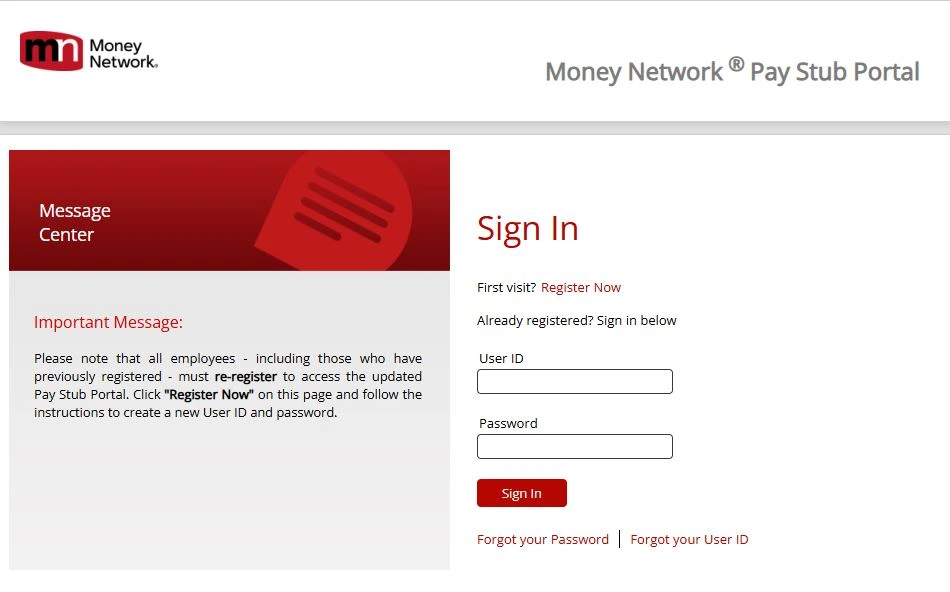
- Go to paystubportal.com/dollargeneral.
- Sign in with your Employee ID (EID) and password or PIN.
- Open the Payroll or Pay Stub section.
- Select the pay period you want.
- View the stub, then download it as a PDF or print it for your records.
Tip: Download your stubs regularly. If you ever leave Dollar General, portal access doesn’t last forever — having your own copies saves a lot of hassle later.
First time here? Register before you log in
- On paystubportal.com/dollargeneral, click Register Now.
- Enter your Employee ID and the initial PIN from your manager (it’s sometimes printed on your first paper stub).
- Verify your identity with the last four digits of your SSN and your date of birth.
- Create a password and set your security questions.
- Sign in with your new credentials.
If registration says your Employee ID isn’t found, your store may not have added you to the system yet — ask your manager to confirm your record is active.
How to read your Dollar General pay stub
Most guides tell you where the stub is but never explain what’s on it. Here’s every section in plain English:
- Gross pay — everything you earned this period before anything is taken out: regular hours × your rate, plus overtime and any bonuses.
- Federal and state taxes — income tax withheld based on the W-4 you filled out at hiring. If this looks too high or too low, your W-4 settings are usually the reason.
- FICA (Social Security and Medicare) — mandatory federal deductions; roughly 6.2% and 1.45% of your gross pay.
- Deductions — anything you opted into: health insurance, 401(k) contributions, and similar items.
- Net pay — your take-home amount, what actually lands in your bank or on your pay card.
- YTD (Year to Date) columns — running totals for the year. These matter at tax time and when you apply for loans.
- Hours and rate — check this every payday. If your hours look short, tell your manager right away; fixing it early is much easier than chasing it weeks later.
Set up or change direct deposit
You can manage direct deposit inside the Pay Stub Portal: sign in, open the direct deposit or banking section, and enter your routing and account numbers. Changes usually take one to two pay cycles to apply, so keep an eye on your first stub after switching banks.
Paid on a Money Network card?
Some Dollar General employees receive wages on a Money Network payroll card instead of a bank account. Your pay stub still appears on the same Pay Stub Portal — the card only changes where the money lands, not where the record lives. For card balance issues, use the Money Network app or the number on the back of your card; the portal only shows the stub itself.
Former employees: getting old pay stubs
Left Dollar General? Your Pay Stub Portal login often keeps working for a while after your last day — try your old EID and password first. If it’s expired, use the Forgot Password option and verify with your SSN. If access is fully closed, contact Dollar General HR or payroll with your full name, dates of employment, and store location to request copies. Before your last day, download everything — it’s the easiest insurance you’ll ever have.
Using your pay stub as proof of income
Landlords, lenders, and loan apps regularly ask for your last two to four pay stubs. Download them as PDFs from the portal — a downloaded official stub with the Dollar General payroll header is exactly what they want. Never edit a stub or use “pay stub generator” websites for this; altered stubs count as document fraud.
Pay stub problems and fixes
- Stub not showing on payday — check after 10 AM; if still missing after 24–48 hours, contact your manager or HR.
- Login fails — confirm you’re on paystubportal.com/dollargeneral (not the DGME login), re-check your EID, and mind Caps Lock.
- Account locked — wait 15–30 minutes, then reset your password instead of retrying.
- Forgot your PIN or password — use Forgot Password / Reset PIN on the login page and verify with the last four of your SSN.
- Hours or pay look wrong — raise it with your store manager the same day; payroll corrections are processed through the store.
- Page won’t load — clear your cache, switch to Chrome or Edge, or try again during off-peak hours (the portal slows right after payday).
Keep your pay information safe
Your pay stub carries your EID and partial banking details, so treat the login like a bank login. Only enter it on paystubportal.com or dolgen.net addresses, log out on shared devices, and ignore any email or text asking for your portal password — Dollar General never asks for it.